This is a walk through the Pharmex Red-Pencil Inspector. I'll explain the controls as we come to them. You can open the Inspector in another tab and try things for yourself. Following the walkthrough is a good way to explain the Inspector to someone else.
Imagine an editor sitting at a desk with an advertisement and a red pencil. They circle an extravagant claim, perhaps draw a line to an annotation in tiny print at the bottom, and write a note explaining the problem. That is the idea behind Pharmex. The notes and annotations might be particular kinds of problem, such as misleading science or unsafe-sounding ingredients; how these relate to regulatory compliance; or recommendations on how to resolve matters.
Like many interfaces, Pharmex is organised around projects. Each project contains related adverts, stored as PNG or JPG images in their own directory. We use images because we want to examine pictures, layout and typography as well as words. In this prototype, I have provided the images; where text files were to be examined, I converted them. In a commercial product, we would automate the conversion.
There are ten at present. Some are ordinary-looking adverts; others are deliberately peculiar test cases.
| Project | Contents |
|---|---|
bluenova | A supplement mock advert with elaborate but dubious biology. |
catto | Mock cat-food adverts. How will the Inspector handle claims about non-human nutrition and safety? |
client | Pairs of mock adverts with and without additional disclosures. These were provided by the client. Originally, each advert had a small disclosure which in some cases was about the advert rather than part of it. I prepared versions without these disclosures in case they biased the analyses. |
latin | Lorem Ipsum, and two paragraphs from a Latin medical text. Tests how the Inspector handles gibberish, edge-case documents, and foreign-language text. |
megavit | Several versions of the same supplement mock advert. Their text varies in quality, testing the Inspector's responses to both acceptable and unacceptable claims and warnings. |
misc | Miscellaneous. At the moment, contains one cartoon featuring a "xenomorph", the vicious creature from the Alien films. An earlier version of the Inspector flagged this as a safety hazard; the current version is more restrained. |
serenitol | A mock mood-support supplement advert. |
tokalon | A genuine cosmetics advert from a 1949 leisure magazine, making remarkable claims. |
van_kleur | Some of my political cartoons. These test the Inspector's handling of non-pharmaceutical material, some of which portrays viruses and other objects associated with Covid. As with the xenomorph, earlier versions of the Inspector raised safety alerts; this one does not. The cartoons are almost entirely drawing rather than text, so also check the Inspector's image comprehension. |
vitalin | Supplement mock adverts, one very extravagant, with a mixture of sound and unsound claims. |
Why this mixture? Some projects test what the Inspector can find. The cartoons, Latin and other items test whether it knows when not to find anything. A system which objects to every picture or sentence is not useful.
Open the Inspector. At the top is a Project menu. Choose a project, or choose All projects to see the full collection. Small pictures with filenames then appear. This is the project's gallery.
Click one of the pictures. The advert appears bigger, with the analysis alongside it. The page also shows the document's title or product name, a short summary where one is available, and a list of findings.
returns to the thumbnails. and move between images. opens the unmarked image in another browser tab.
opens a larger view showing the Inspector's markings. In the separate original-image tab, most browsers also let you click to zoom in or out.
The analysis treats the advert as a surface on which our editor can mark regions and write comments. It records what is questionable, where to look, and what might be changed. It is not a legal verdict. If any legal action is contemplated as a result, discuss it with a legal professional.
Now walk through the projects, looking at each advert, and skim its findings. This will give you a good idea of what material the Inspector is intended for, what it will report, and how it does so.
We call each issue a finding. Choose one from the Findings list. Its marked locations are outlined on the advert, and its description, scores and recommendation appear in the detail panel.
One finding may have several marked locations. For example, an impressive promise at the top and a half-hidden qualification at the bottom may be parts of the same problem. A finding is an editorial issue, not merely a rectangle.
If an image has no findings, that is worth noticing too: it may be one of our negative controls.
Each finding is assessed on whichever of six characteristics are relevant. Scores run from 0 to 1, indicating how strongly the characteristic is present. They do not by themselves measure illegality, danger, or overall seriousness.
The word dodginess is deliberate. Imagine an enthusiastic salesman whose claims have run ahead of his evidence. British readers should think of Del Boy or Steptoe and Son. For Canadians, I am told that the word may best translate as sketchiness.
SD — Scientific Dodginess. Is the science itself implausible or wrong? A supposed biological mechanism may sound wonderful without having much connection to biology.
TATD — Testing and Trialling Dodginess. Even when the underlying science is respectable, has this particular product been tested adequately? A claim about an ingredient is not automatically evidence about every product containing it.
CD — Teilhard de Chardin Dodginess. This is named after Peter Medawar's criticism of Pierre Teilhard de Chardin’s book The Phenomenon of Man. Words such as energy, force and dimension can be borrowed from science, used loosely, but still retain a (misleading) air of scientific authority.
VP — Vitality Projection. Sunlight, greenery, smiling athletes and mountains may suggest health and renewal without saying so explicitly. That isn't automatically a problem, but it may contribute to one.
SC — Safety Concern. Possible adverse effects, unsafe combinations, contraindications and similar matters. A concern is a reason to investigate, not necessarily a proven hazard.
RM — Risk Minimisation. Does the advert play down a risk? The problem might lie in tiny print, reassuring words, an inconspicuous warning, or the relationship between passages far apart.
As an example of scores, first go to the first project, BlueNova. Click the project selector to get there, then click on the image. This project has only one.
Then, if you need to see the image larger, press the button beneath it, or the Open Original button above. Take a good look at the text and pictures.
After that, focus on the reporting to the right of the advert. Scroll through the list of findings. There are currently eight. Click each item in the list, and see the text that appears to its right.
Notice that, for instance, finding m01 says "MOPS UP FREE RADICALS". It has been given an SD of 0.7 and a TATD of 0.88.
The righright-hand column give more information.It starts with a detailed description:
The advertisement presents free-radical neutralisation as a demonstrated protective effect inside the consumer's body. Anthocyanins can exhibit antioxidant activity, but laboratory antioxidant behaviour does not by itself establish that consuming this particular supplement will intercept harmful radicals before cellular damage occurs.
After this are the texts from three locations. They demonstrate our point made earlier that an impressive promise at the top and a qualification at the bottom may be parts of the same problem. A finding is an editorial issue that may span several regions, not merely a rectangle.
Our texts for region m01 are:
Under this list of marked locations are the scores for this finding, and the reasons for them.
Thus, the above gets given:
After the Inspector has detected problems specific to various scores, it needs to indicate how these relate to regulatory compliance. It uses fuzzy-logic rules for this. The concept is explained in our About fuzzy logic page. The fuzzy-logic output appears under the heading Review indicators in the right-hand column.
Briefly stated, fuzzy logic is a way to reason with variables that are vague, imprecise, or without sharp boundaries. In the everyday world, examples include "tall", "young", "high", "round", "aquatic". A hippo may not be 100% aquatic, but it's more aquatic than a seagull, and less aquatic than a cod.
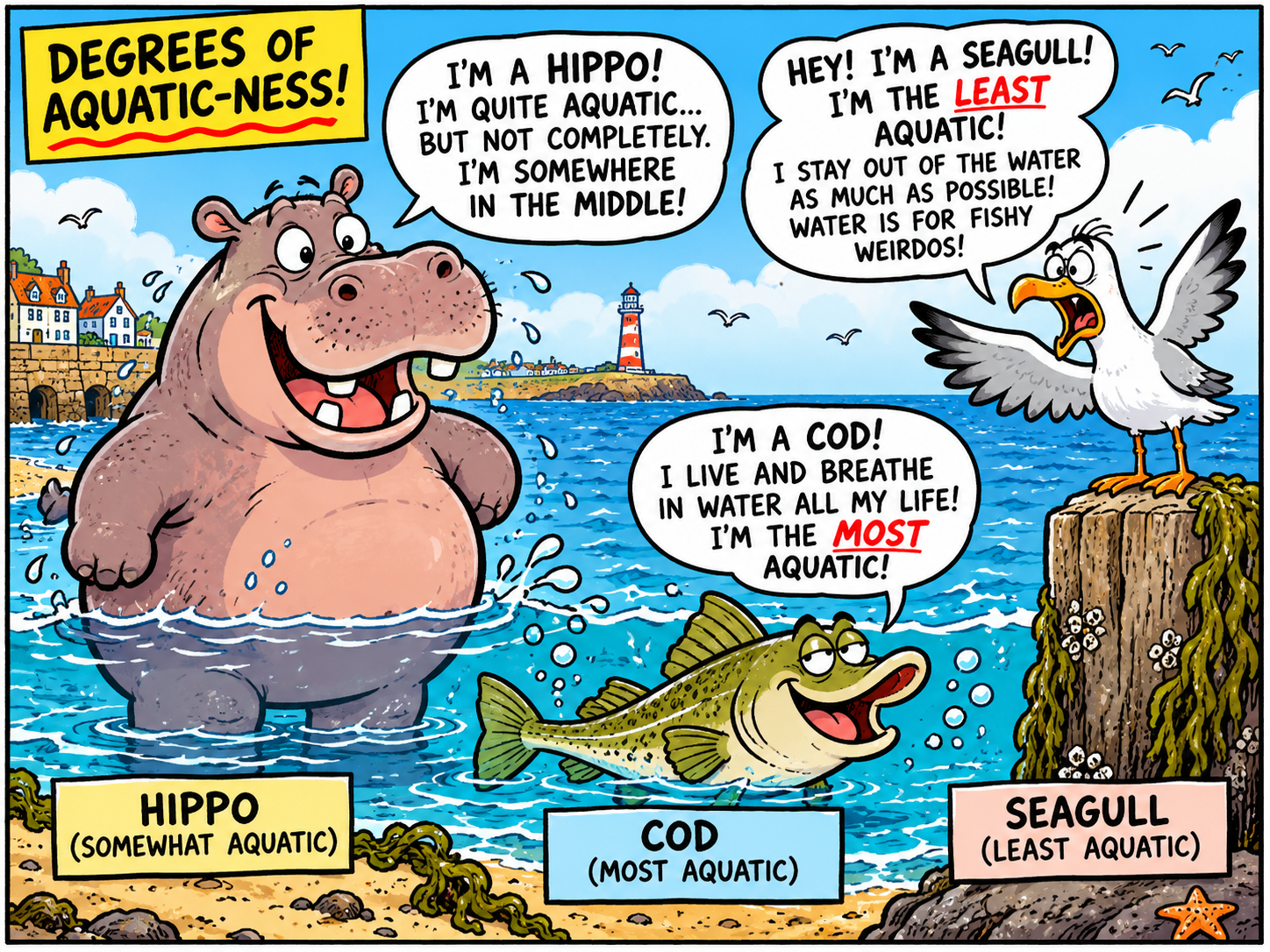
At this stage, you may want to read our knowledge base, in conjunction with About fuzzy logic.
You do not need to understand these rules in full detail to use the system. Reading them as if they were English will give sufficient idea of what they do.
One problem we found has turned out to be that some texts cannot generate all six scores. For example, the BlueNova lady, glowing in the mountain sunlight, has a high VP (Vitality Projection), but no SD (Scientific Dodginess) rating.
One way that analysts handle this is to impute values, using — say — a default of 0. This is a quick fix, but not obviously correct. Other methods exist, but can be equally misleading. In general, handling missing values needs careful statistical analysis, and demands close analysis of the problem. It is important to know which variables are causally related, and which may merely be correlated for other reasons.
This goes beyond the scope of our prototype. So for the moment, we have made a simple fix. We regard the fuzzy rules as a function from the six input scores to the three regulatory variables: technically, a function from [0,1]6 to [0,1]3.
If one of the inputs is missing, rather than guessing its value, we try several possibilities: 0, 0.25, 0.5, 0.75, and 1. We run the rules once for each possibility. With two missing inputs, we try all 25 combinations; with three, all 125. We call these complete sets of inputs completions.
For each regulatory indicator, we then report the minimum, maximum, and average of the results. This doesn't tell us what the missing scores really were. But it does tell us how much difference they could make to the conclusions.
As we said several sections back, the fuzzy-logic results appear in the Review Indicators section of the right-hand column. This is the one we are currently explaining, under the headings for Finding, Marked locations, and Assessments. It has subsections for the three output variables: Misleading-claim concern, Risk-minimisation concern, and Review priority. Each subsection reports the minimum, maximum and average of its results.
Under these subsections is a disclosure control labelled Input completions and inference traces. This shows which rules fired for each combination of inputs.
Thus, the first trace for Misleading-claim concern in our finding m01 is:
SD high → high concern (strength 0.40)
TATD high → high concern (strength 0.76)
CD high → high concern (strength 1.00)
TATD high AND CD high → very high concern (strength 0.76)
The key point here is that it explains the results. One of the product's selling points will be that its results are explainable, so can be justified to persons such as an editor, manager, or judge.
This has been a long section on fuzzy logic and its outputs. To recap, we have worked through the details of BlueNova finding m01, looking, in the finding's right-hand column, at the headings for Finding, Marked locations, Assessments, and Review Indicators. Under this appears the subsection Recommendation, which is where we look now.
A recommendation is what our imaginary editor would write with their red pencil. Perhaps the claim needs supporting evidence, a warning needs to be more prominent, or a sentence needs rewriting. In our m01 case, the recommendation is:
Replace the asserted bodily protection mechanism with a narrower, scientifically supportable statement about anthocyanins. Retain any product-specific protective claim only if appropriately substantiated in humans.
This has been a long trek through one particular finding. We recommend that you take a break, then check the other BlueNova findings. Once you've done that, do the same with the first, extravagant, Vitalin advert.
After that, try with some of the other projects. I recommend Megavit, because it gives a series of adverts with the same picture and layout, but texts deliberately designed to evoke low versus high scores. All the adverts mentioned in this section are useful when demonstrating the system to other people, as they don't need much specialist knowledge.
There are three more controls to mention. The first two are Download readable CSV and Download complete CSV. They generate Excel summaries of an analysis, which may be useful for other automated processing.
Download readable CSV produces a CSV or comma-separated values file whch can be read into Excel, summarising the findings and assessments. A finding with several assessments appears on several rows.
Download complete CSV produces a more technical table including data paths, types and values. Both exports are based on the saved analysis; they do not include all the separately calculated completion traces.
Finally, Export HTML report saves a report which can be opened in a browser and passed to somebody else. It includes the advert and its recorded red-pencil analysis, without requiring the recipient to navigate the Inspector.
The earlier MegaVit interface is also available; it uses heatmaps and advert comparisons, and works rather differently. I revised it to give the current version after testing it on a variety of adverts. It seemed that the current workflow would be more adaptable.